¶ Lost communication with MCU 'extra_mcu'

¶ Symptom:
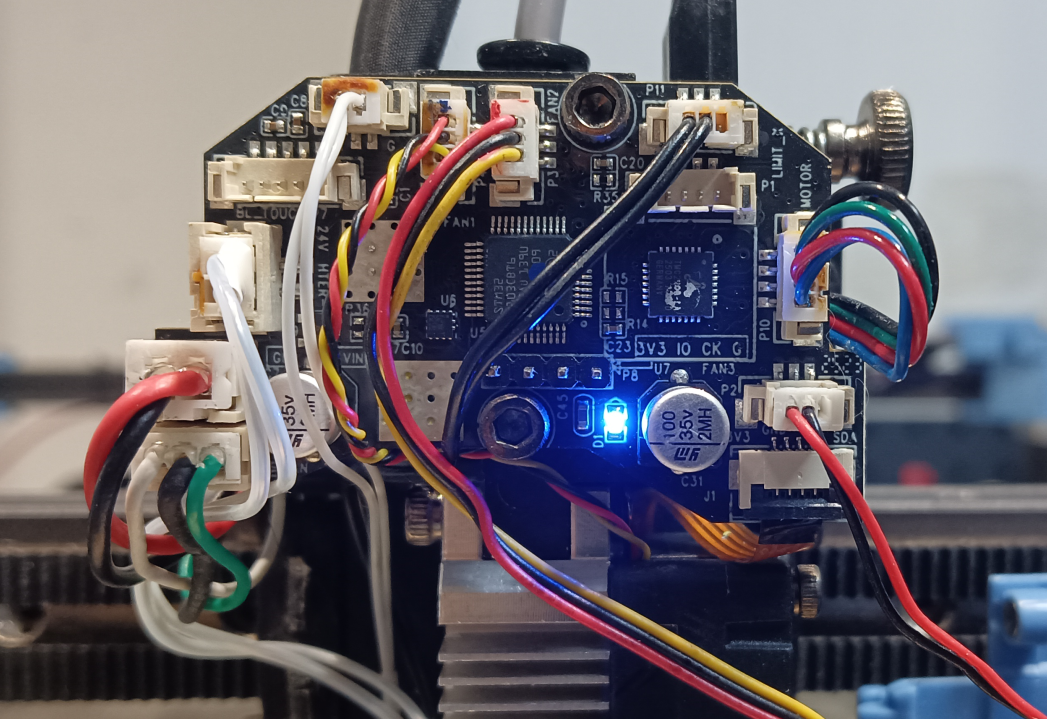
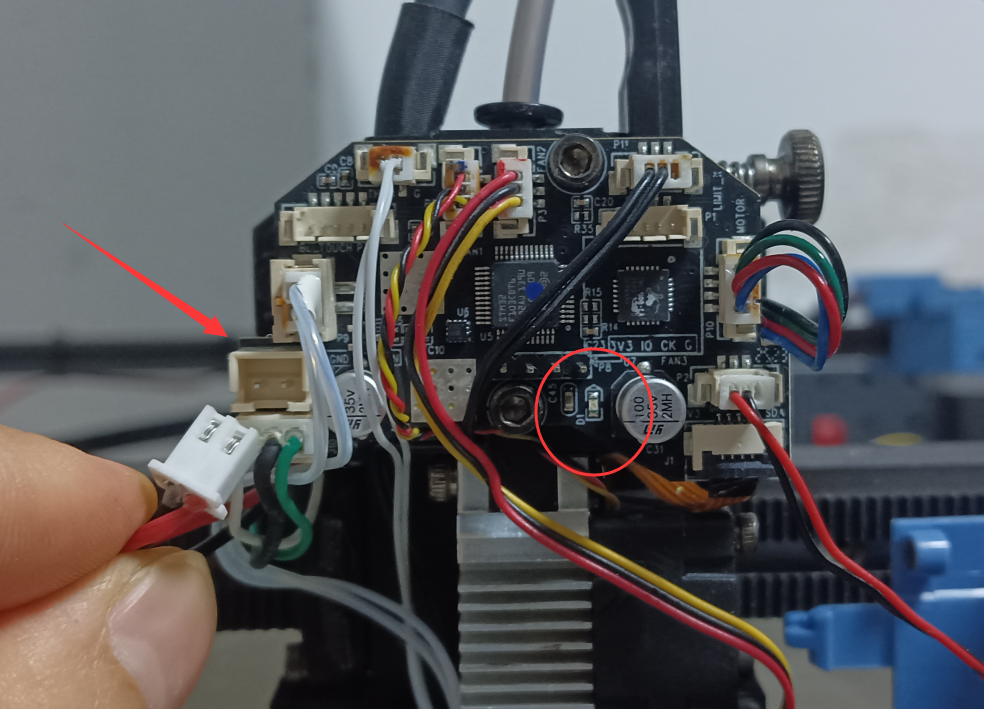
If the red/black or green/black/white wires on the print head adapter board become disconnected during operation after startup, the following error will occur:
Disconnection of the red/black wires (power cables) will cause the blue LED indicator to turn off.
Disconnection of the green/black/white wires (signal cables) will cause the blue LED indicator to remain continuously lit.
 |
 |
¶ Cause:
A disconnected or poorly connected communication cable to the main board can trigger a boot failure error. If this error occurs mid-printing, it is typically caused by a loose signal cable.
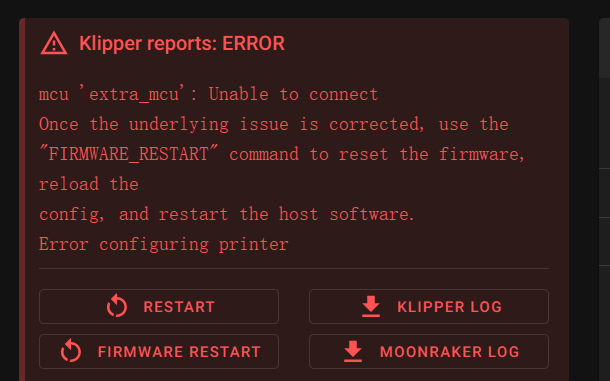
¶ MCU 'extra_mcu': Unable to connect
¶ Symptom:
If the red/black or green/black wires on the print head adapter board are disconnected before powering on, the printer will fail to boot normally and remain stuck displaying "System Booting."
Concurrently, the blue LED indicator on the adapter board will remain off. After several minutes, an "Extruder MCU Connection Failed" error will be reported.
¶ Cause:
A disconnected or poorly connected mainboard communication cable prevents the printer from powering on and triggers an error message.
¶ Solutions:
1.Power off the printer, reseat the print head adapter cable firmly, and then power it back on. Verify whether the cable was not fully inserted.
2.Check both ends of the adapter connector for bent or sunken pins, which may cause poor contact. Carefully restore any deformed pins using tweezers. If this cannot be done, please contact SOVOL support.
3.Refer to the WIKI tutorial for detailed guidance:/en/SV08Max/How-to-find-UUID
Use the SSH method described to read the UUID and identify whether the issue lies with the mainboard, communication cable, or toolhead adapter board. Please report the test results to SOVOL.
¶ !! Endstop Y still triggered after retract

After clicking Auto home and the X-axis resets, the Y-axis does not start moving, and an error message indicates that the Y-axis limit switch has been triggered. This is caused by a disconnected or damaged Y-axis limit switch connection cable.
(1) Check if the port pins are deformed.
(2) Reconnect the limit switch connector to confirm that the wiring is not loose.
(3) Replace the Y-axis limit switch.
¶ !! Endstop X still triggered after retract

After clicking "Auto home," the X-axis does not start moving, and an error message appears indicating that the X-axis limit switch has been triggered. The X-axis limit switch connection wiring is either disconnected or damaged.
(1) Check if the pins on the port are deformed.
(2) Reconnect the limit switch connector to confirm that the wiring is not loose.
(3)Replace the X-axis limit switch.
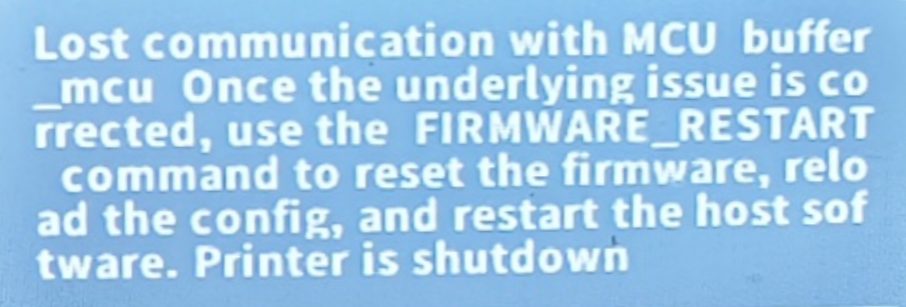
¶ Lost communication with MCU buffer mcu
¶ Symptom:
After powering on, a poor connection in the auxiliary feeder's communication cable triggers an "Auxiliary Feeder MCU Connection Failed" error.
¶ Causes:
1. Poor contact in the auxiliary feeder's communication cable leads to an MCU connection failure error upon restarting.
2. Incorrect firmware version of the auxiliary feeder, prevents proper driver chip communication.
3. Malfunction of the auxiliary feeder's mainboard.
¶ mcu buffer_mcu:Unable to connect

Error message: Auxiliary feeder MCU communication connection failed.
¶ Cause:
Poor contact in the auxiliary feeder communication cable; MCU connection failed upon restarting.
The auxiliary feeder's mainboard either has no firmware installed or the existing firmware has been corrupted.
¶ Solution:
1. Check if the pins of the male and female connectors are deformed.
2. Re-plug the auxiliary feeder wiring to ensure it is not loose.
3. Re-flash the auxiliary feeder board firmware using ST-link.
4. Please report the troubleshooting results to SOVOL and replace the auxiliary feeder motherboard.
¶ The following common scenarios may also cause MCU communication failure or connection issues:
1.Cable Interference: The communication cable may be obstructed at the Teflon tube fixation points. During movement, this can pull on the print head adapter board or cable chain connections, resulting in poor cable contact.
2.Improper Cable Installation: If communication loss or connection failure occurs immediately after printer assembly, the communication cable may not be fully seated. Please unplug and firmly reconnect the cable.
3.Post-Maintenance Errors: If communication errors appear after disassembling the extruder or replacing the print head, use the UUID reading method to verify whether the toolhead adapter board or signal cables are damaged.
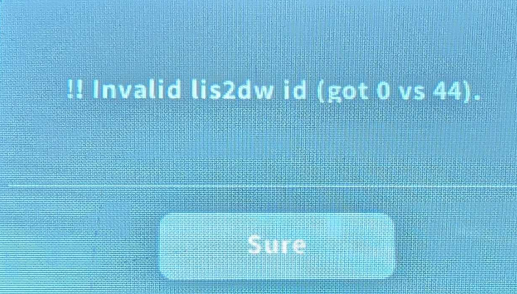
4.Accelerometer Error: The message "!! Invalid lis2dw id (got 0 vs 44)" indicates a resonance compensation error caused by a malfunctioning accelerometer chip on the print head adapter board. Please report this issue to SOVOL support.
¶ Unable to read UUID in the following situations:
1. UUID characters have not been modified or the motherboard is damaged.
2. All cables are plugged in, but an error occurs when entering the command (incorrect character, incorrect format, missing spaces).
3. Disconnect all communication cables and restart the printer.
4. Only plug in the auxiliary feeder cable and restart the printer.